Source: https://atomic-works-test.docs-staging.pageloop.ai/integrations/overview/google-analytics-integration

# Google Analytics Integration

# Google Analytics Integration

Google Analytics is one of the leading web analytics software that organizations uses to track and report website traffic.

**Note**: We use [Truto.one](https://truto.one/) as our integration partner to integrate and fetch required user details from the Google Analytics account.

### How does this Integration help <a href="#how-does-this-integration-help" id="how-does-this-integration-help"></a>

* Integration helps to fetch users list from the Google Analytics account.
* If a staff member with Google Analytics account access is offboarded, Sprinto activates a check against that staff member to revoke the access.

### Sprinto checks for Google Analytics <a href="#sprinto-checks-for-google-analytics" id="sprinto-checks-for-google-analytics"></a>

Below is the list of Sprinto checks available for Google Analytics:

<table><thead><tr><th width="543.7578125">Sprinto check</th><th>Reference procedure</th></tr></thead><tbody><tr><td>User should be identified</td><td><a href="../../data-library/access/dashboard-actions/view-and-map-staff-access.md">How to fix</a></td></tr><tr><td>Google Analytics access should be removed for offboarded user</td><td><a href="../../monitors/authentication-and-access-monitors/resolve-sprinto-check-for-removing-access-for-offboarded-users.md">How to fix</a></td></tr><tr><td>Critical system access control should be configured</td><td><a href="../../data-library/access/dashboard-actions/view-and-map-staff-access.md">How to fix</a></td></tr><tr><td><p>User access to Critical System should be valid</p><p>Note: The user access to the critical system becomes valid if the respective Org role is added for the system.</p></td><td><a href="../../data-library/access/dashboard-actions/view-and-map-staff-access.md">How to fix</a></td></tr></tbody></table>

### Prerequisites for Integration <a href="#prerequisites-for-integration" id="prerequisites-for-integration"></a>

* Log in to Sprinto as administrator.
* Ensure you have “Admin” access on the Google Analytics account you want to integrate.

### How to Integrate Sprinto with Google Analytics <a href="#how-to-integrate-sprinto-with-google-analytics" id="how-to-integrate-sprinto-with-google-analytics"></a>

1. **Integrating Google Analytics account.**
   1.  Go to **Settings > Integrations > Available**, and click **Connect** next to Google Analytics.

       <figure><img src="../../.gitbook/assets/Screenshot 2025-09-24 at 15.06.17.png" alt="" width="563"><figcaption></figcaption></figure>
   2. On Integration page, select the acknowledgement checkbox and click Connect to Google Analytics.
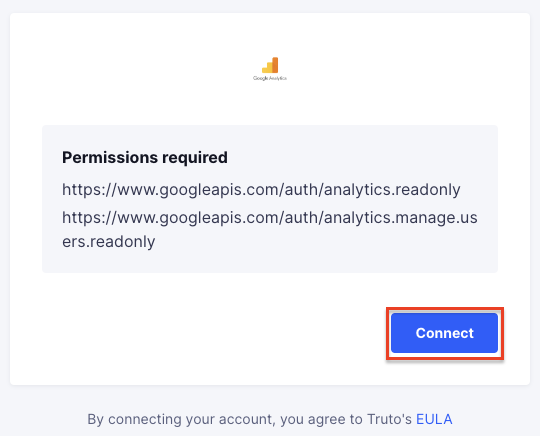
   3.  On Google Analytics authentication page, click Connect.

       <figure><img src="https://s3.amazonaws.com/cdn.freshdesk.com/data/helpdesk/attachments/production/72073826425/original/00xuhaM-Ow9gnrRhN2BiC_-KihrHOZ6hRA.png?1700756053" alt="" width="375"><figcaption></figcaption></figure>
   4. Login to your Google Analytics account using the Single sign-on login option.
2. **Configuring Google Analytics as a critical system.**
   1. On Sprinto app, go to **Data Library > Access** and click **Add a Critical System**.
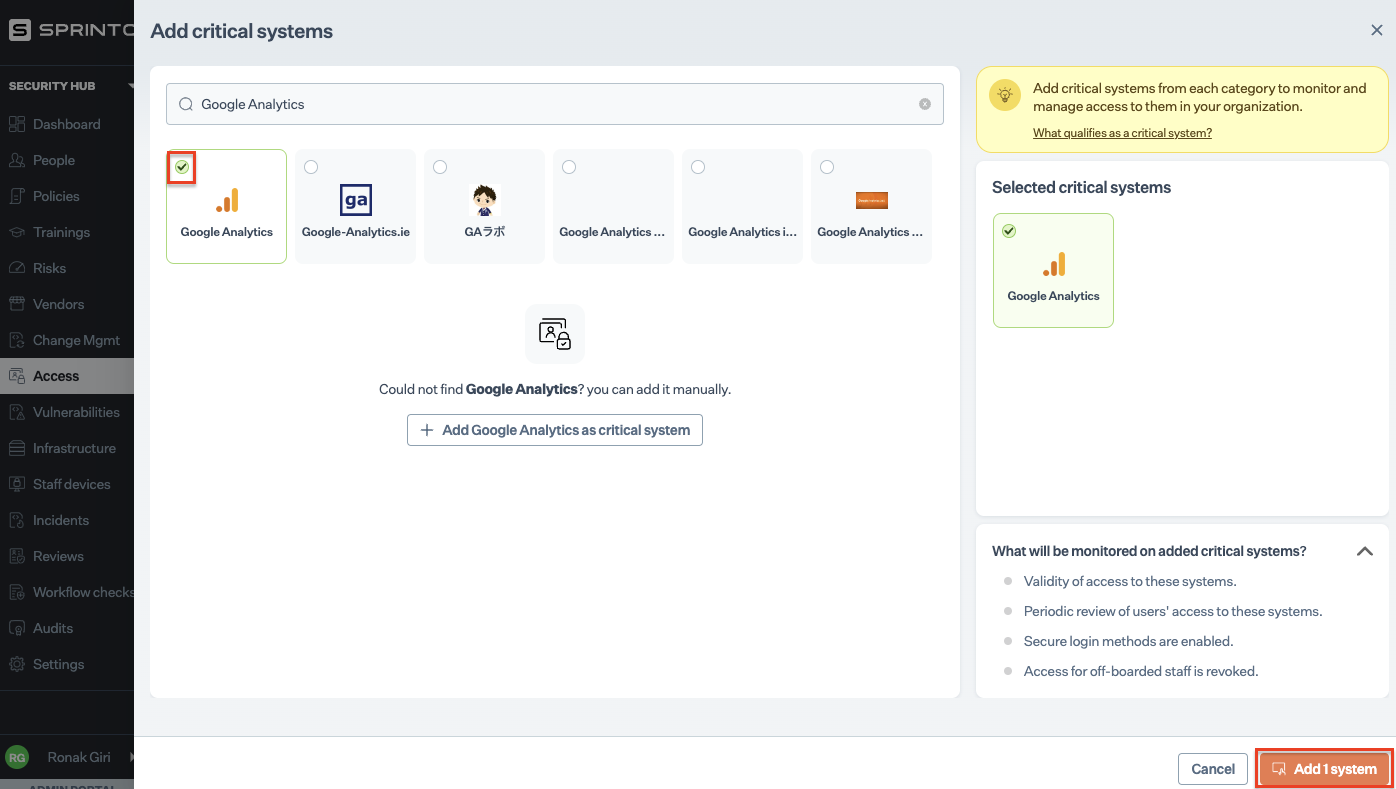
   2. On Add Critical System page, select Google Analytics and click Add Systems.
   3.  Configure valid access for Google Analytics. Refer to [define critical system access](https://sprinto.freshdesk.com/support/solutions/articles/72000606015-how-to-define-critical-system-user-access-mcas-on-sprinto-) to learn more.

       <figure><img src="https://s3.amazonaws.com/cdn.freshdesk.com/data/helpdesk/attachments/production/72073826561/original/yCMhdrnoIZf45sLrotOPBftJKYnPyjmhzQ.png?1700756111" alt="" width="563"><figcaption></figcaption></figure>

### Final step <a href="#final-step" id="final-step"></a>

This completes the integration. To check if there are any pending tasks or failing checks, go to Security Hub > Access and look for Google Analytics critical system card.