Source: https://atomic-works-test.docs-staging.pageloop.ai/monitors/user-decisioning/decisioning-of-googleworkspace-zoho-users
# Decisioning Of Googleworkspace Zoho Users
# Decisioning of GoogleWorkspace / Zoho users
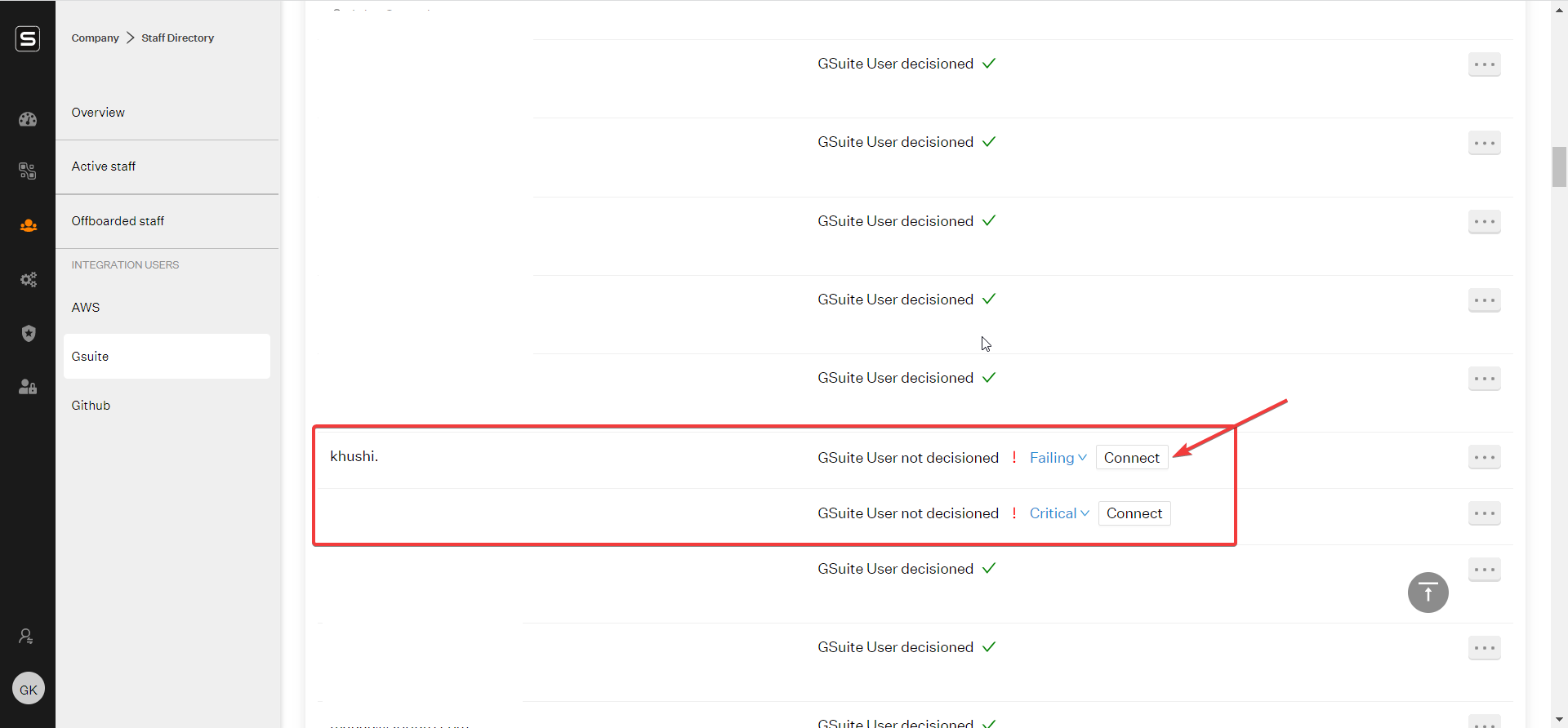
Post the G-suite Integration, you would be able to find the list of all your GoogleWorkspace / Zoho accounts on Sprinto.\
\
You need to connect each of those accounts to an employee/contractor.
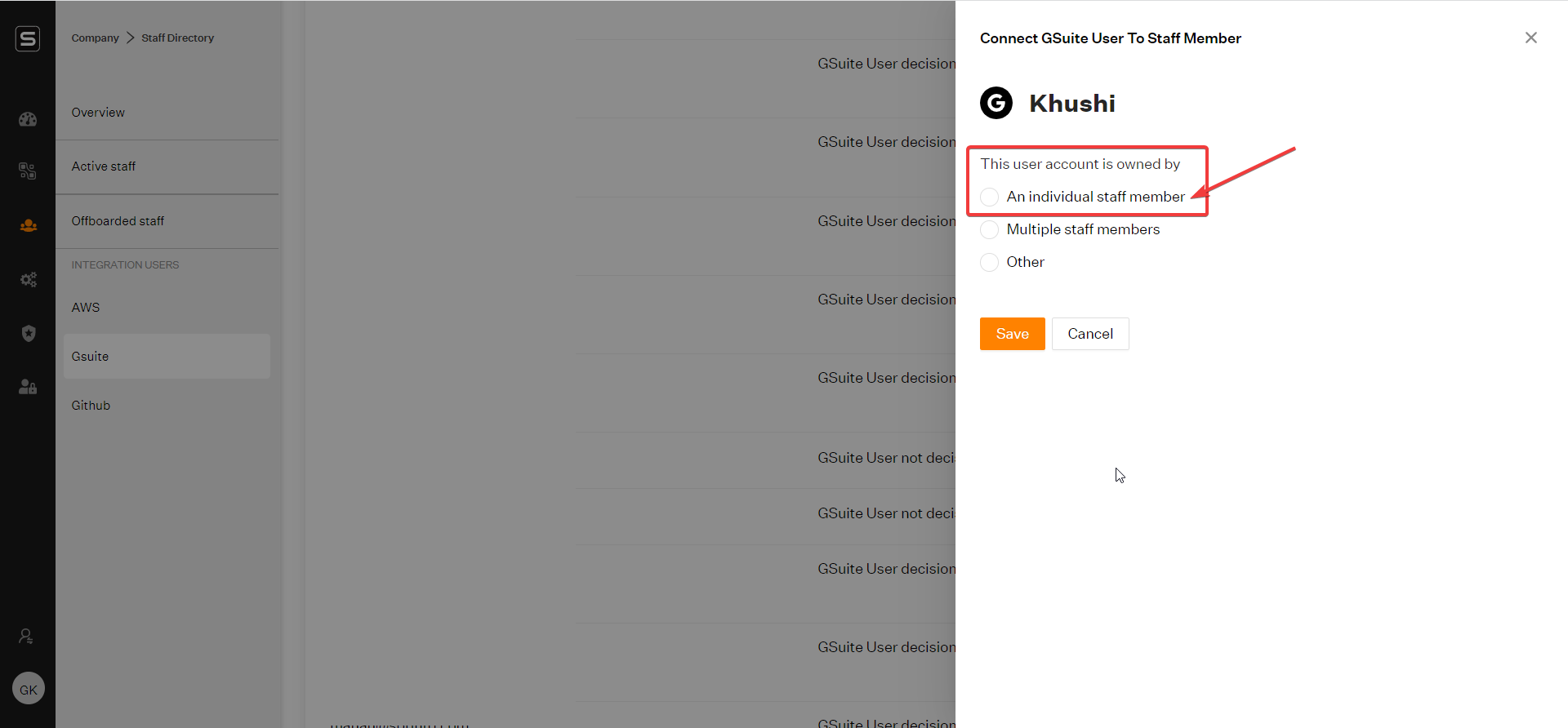
If the user/account happens to be an individual staff member, select the _Individual staff member_ radio button
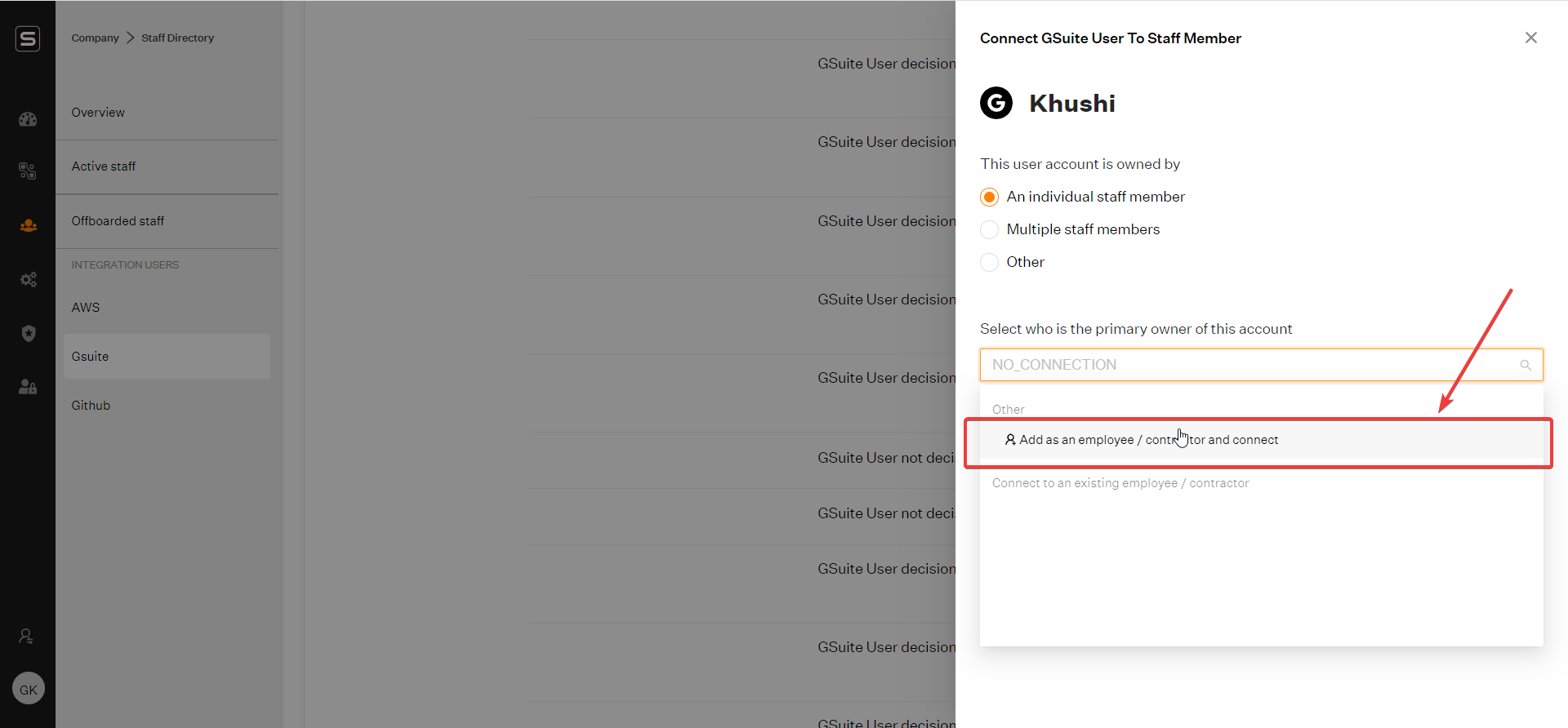
You can now add the account as an employee by selecting _Add as an employee/contractor_ option
\
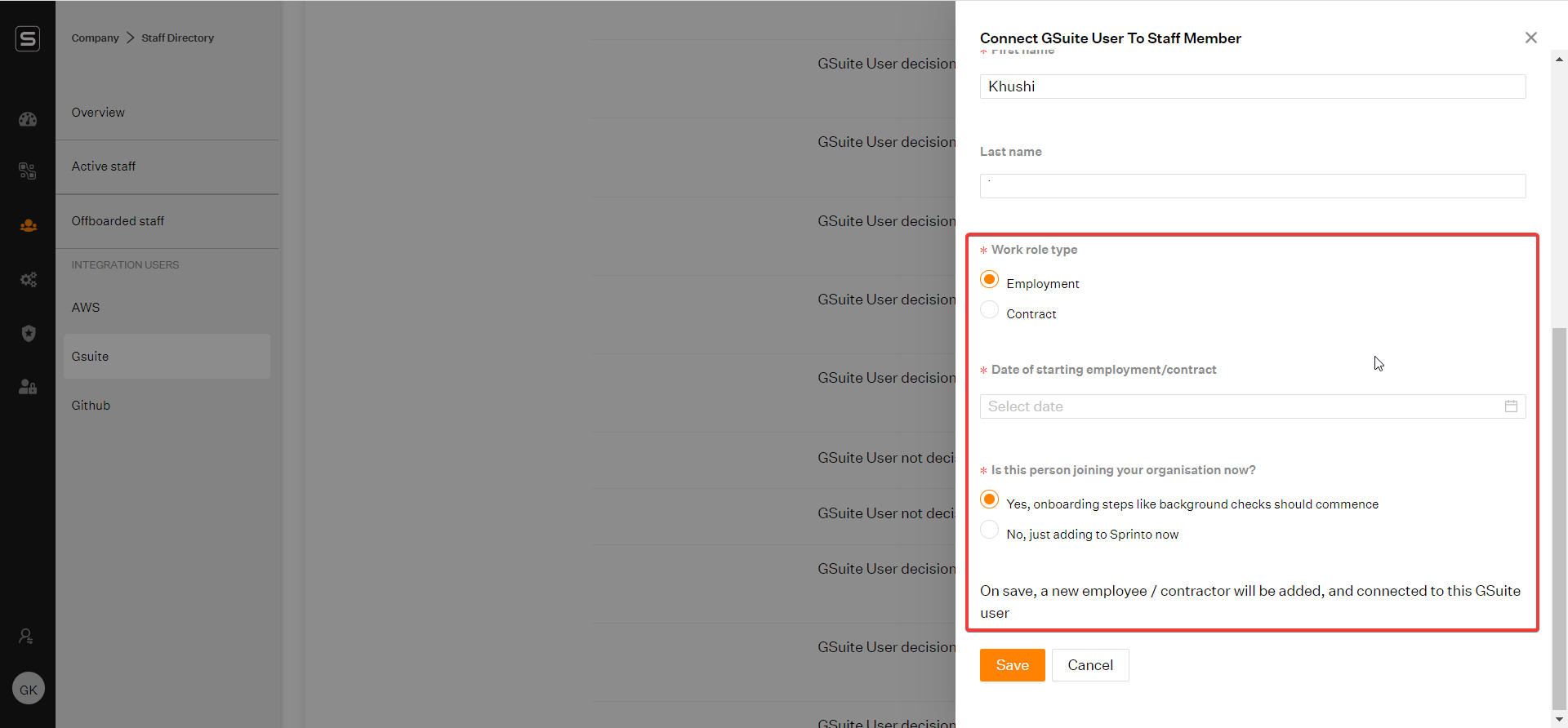
Post selecting _Add as an employee/contractor_ option, you need to select the employment type as either Employee / Contractor.\
\
Interns are to be categorized as contractors.\
\
Post this, enter the _Date of Joining_ of that employee/contractor.\
\
If they're a new employee, select the Yes radio button. _\_\
\
If they're existing employees, just being newly added to Sprinto, select the No radio button and click on Save.
That's it now you have to complete this for all your pending/new GoogleWorkspace/Zoho accounts.\
\
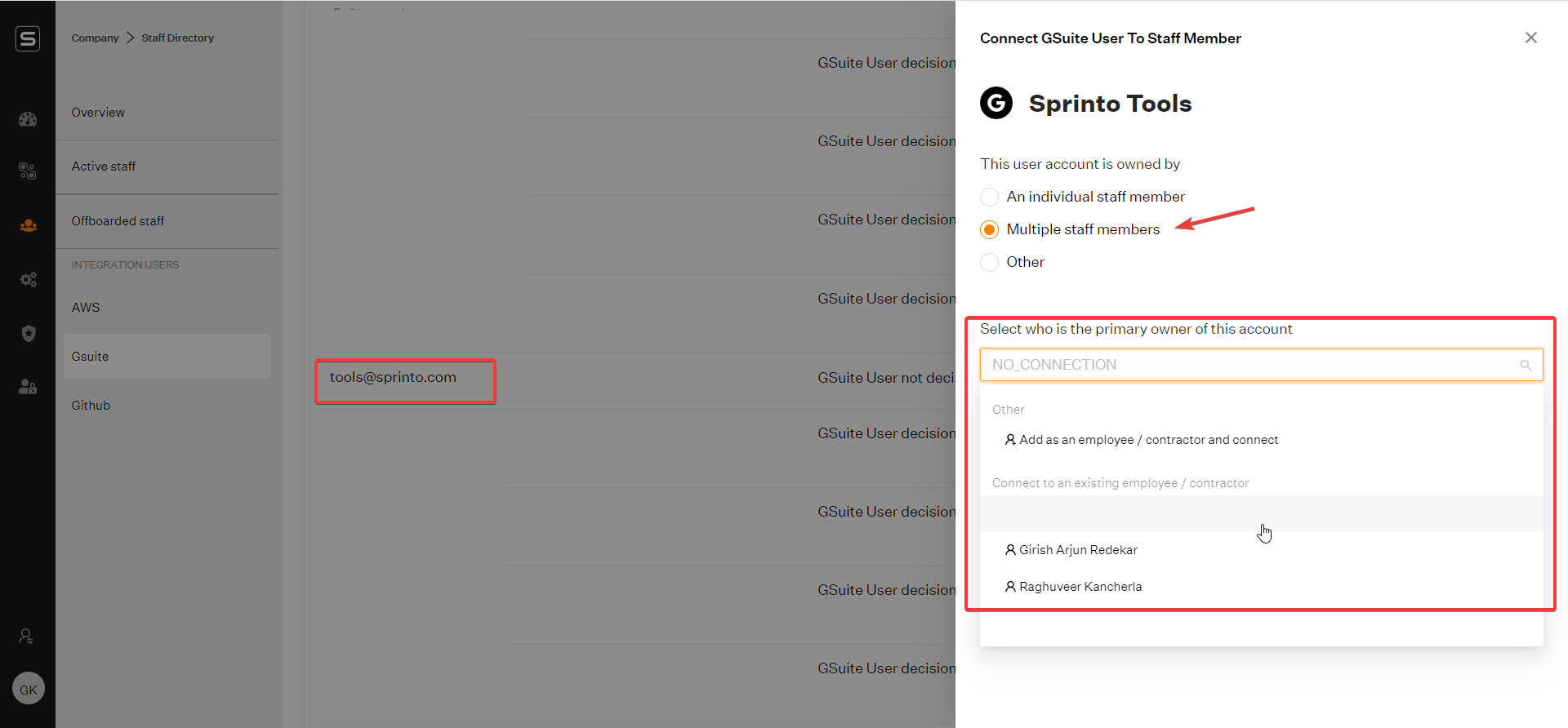
Sometimes you might end up having accounts like [tools@yourbusiness.com](mailto:tools@yourbusiness.com) which could be used by multiple staff members within your organization.\
\
For such accounts, you need to select the option of multiple staff members & select who the primary owner of that account would be. _\_\
\
So, the primary owner of that account would have to enable MFA in that account.
In case of any queries, please feel free to write to [support@sprinto.com](mailto:support@sprinto.com).