Source: https://atomic-works-test.docs-staging.pageloop.ai/monitors/workflow-check-resolution/how-to-resolve-sprinto-check-for-configuring-user-login-protection-methods-on-critical-access-system
# How To Resolve Sprinto Check For Configuring User Login Protection Methods On Critical Access System
# How To Resolve Sprinto Check For Configuring User Login Protection Methods On Critical Access System
### About
Sprinto check: Access to critical system should be protected with a secure login mechanism
The use of a secure login mechanism for accessing critical systems helps enhance the system’s security. Login mechanisms like Single Sign-On (SSO), Multi-Factor Authentication (MFA), Complex Password, or Virtual Private Network (VPN) can be defined against the critical system.
### Purpose
The purpose of this check is to ensure that a secure login mechanism is configured and defined on Sprinto against the critical system.
### Procedure
Follow the below procedure to define the login protection method:
1. From the Sprinto admin portal, navigate to Data Library > Access, then select the Overview tab.
2. Select any integrated critical system from the list you wish to configure.
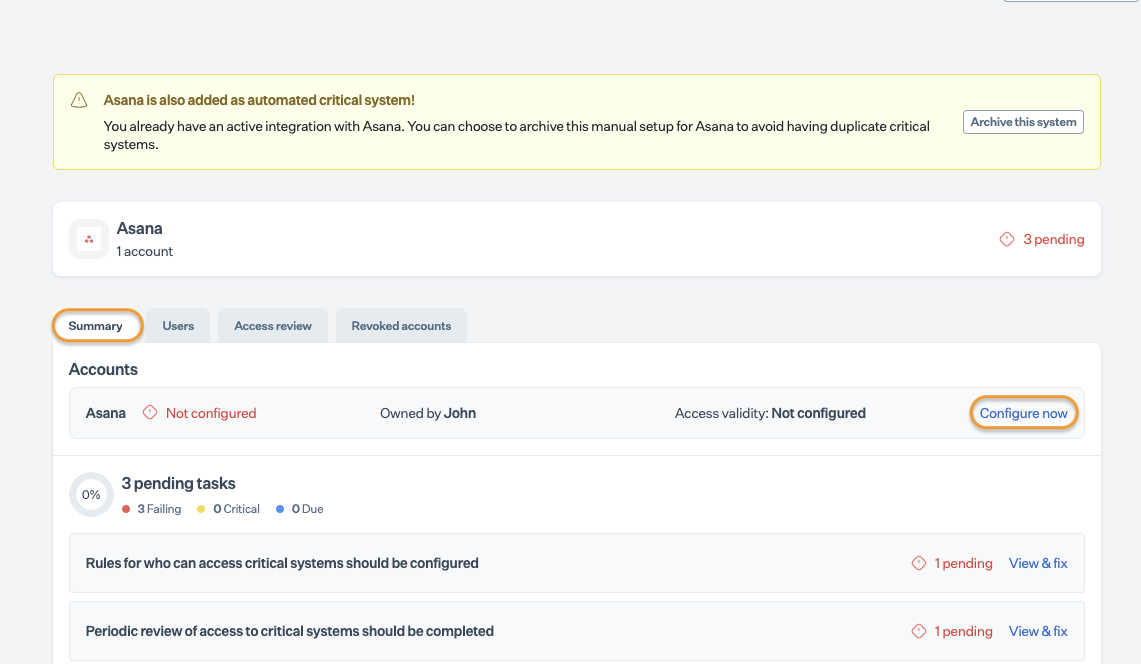
3. Select the Summary tab, and click Configure now under the Accounts.
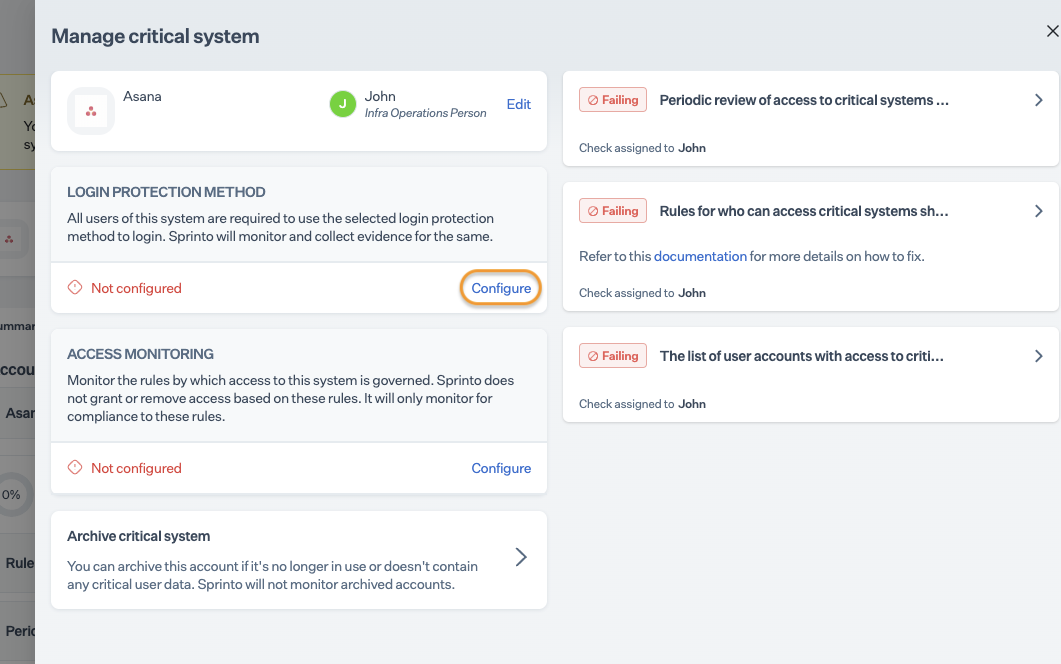
4. Click Configure/ Edit next to the Login Protection Method section.
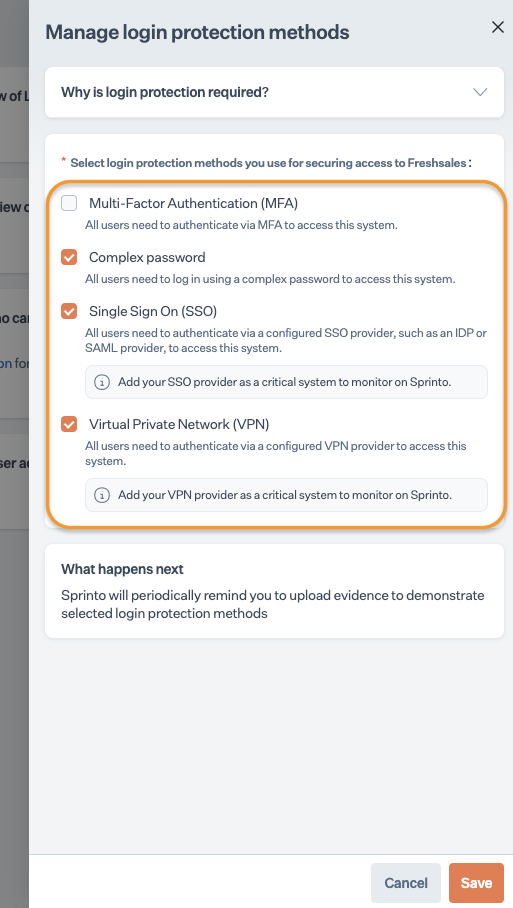
5. Select the login protection methods configured to access the selected critical system.
6. Once selected, click Save to apply the changes.
### What’s next
Sprinto will now periodically remind you to upload evidence showcasing the implemented login protection methods for the critical system.
### Support
Please get in touch with our [support team](mailto:www.support@sprinto.com) if you need any assistance with the above Sprinto check.